Free tool
Radio clock wheel builder
Lay out one hour slot by slot: what plays, in what order, and for how long. The wheel and the rundown update as you go, and the total tells you how far the hour runs short or long. Nothing is stored — print it or copy it before you leave.
The hour below is an example to start from. Change any slot, or clear it and build your own.
No slots yet. Add the first one below — most hours open with something at :00.
The hour
—
| # | Slot | Kind | Starts | Length | Ends | To the top |
|---|
How to read the wheel
The wheel starts at :00 at the top and runs clockwise, one minute per tick. Each slot starts where the one before it ends, so the start times in the table assume every slot runs exactly the length you gave it. To the top is the back-time: how long is left before the next :00 when that slot starts — the number a presenter watches to land the news on time.
Aim for the total to be close to 60:00. Under it, something has to fill the gap; over it, the last slots spill into the next hour.
How a clock in RadioHost Studio differs
The slot kinds here are the same seven a RadioHost Studio clock uses. What changes is that a real clock is not a fixed list of lengths — it is a set of instructions that the station follows, over and over:
- Slots point at sources, not lengths. A playlist pull takes a set number of tracks from that playlist, following its rotation rules; a folder pull takes them straight from a library folder. Their length is estimated from the average of what they draw, so the editor shows the lap as an estimate with a range. Only an exact track has a length known in advance.
- The hour repeats from the top. A clock is a wheel: when the last slot finishes, the first comes round again, until the show ends. That is why the total matters — a lap well short of the hour plays its first slots twice, and one well over never reaches its last.
- Slots can be pinned to a minute. Set
at :MMon a slot and the clock jumps to it at the first track boundary after that minute, once an hour. It never cuts into a track, and if it would be more than 15 minutes late it waits for the next hour instead. - Back-timing lands the pinned minute. As a pinned minute gets close, the clock aims to land on it in one item: a song that would run over is faded down onto the minute rather than making the pinned slot start late, and a filler folder of short items can close a gap no song fits.
- Empty slots are stepped over. A talk break with nothing queued, an ad break with no campaign owed a spot, or an external stream whose URL is down — the clock moves straight on to the next slot rather than leaving silence.
So a wheel drawn here is the plan; a Studio clock is the plan running unattended. For the thinking behind the shape of an hour, see clockwheels: how radio hours are actually built.
Frequently asked questions
What is a radio clock wheel?
A diagram of one hour of a station — not a specific hour, but any hour of that type. It sets the order of music, jingles, talk and breaks, so the station sounds the same shape whenever someone tunes in.
Does the hour have to add up to exactly 60 minutes?
On paper, it should come close. On air, songs never add up exactly, which is what pinned minutes and back-timing are for: they pull the hour back into line at the minutes that matter.
Is my clock saved?
No. Everything happens in your browser and nothing is sent anywhere. Use print, save as PDF or copy as text to keep it.
See it for real
See a clock running, not just drawn.
The clockwheel editor in RadioHost Studio uses these same slot kinds, with minute pins, back-timing and a preview of how the hour will play. The guided tour walks through it on a station that is on air.
- About 12 minutes
- No account, no credit card
- Real screens, not mockups
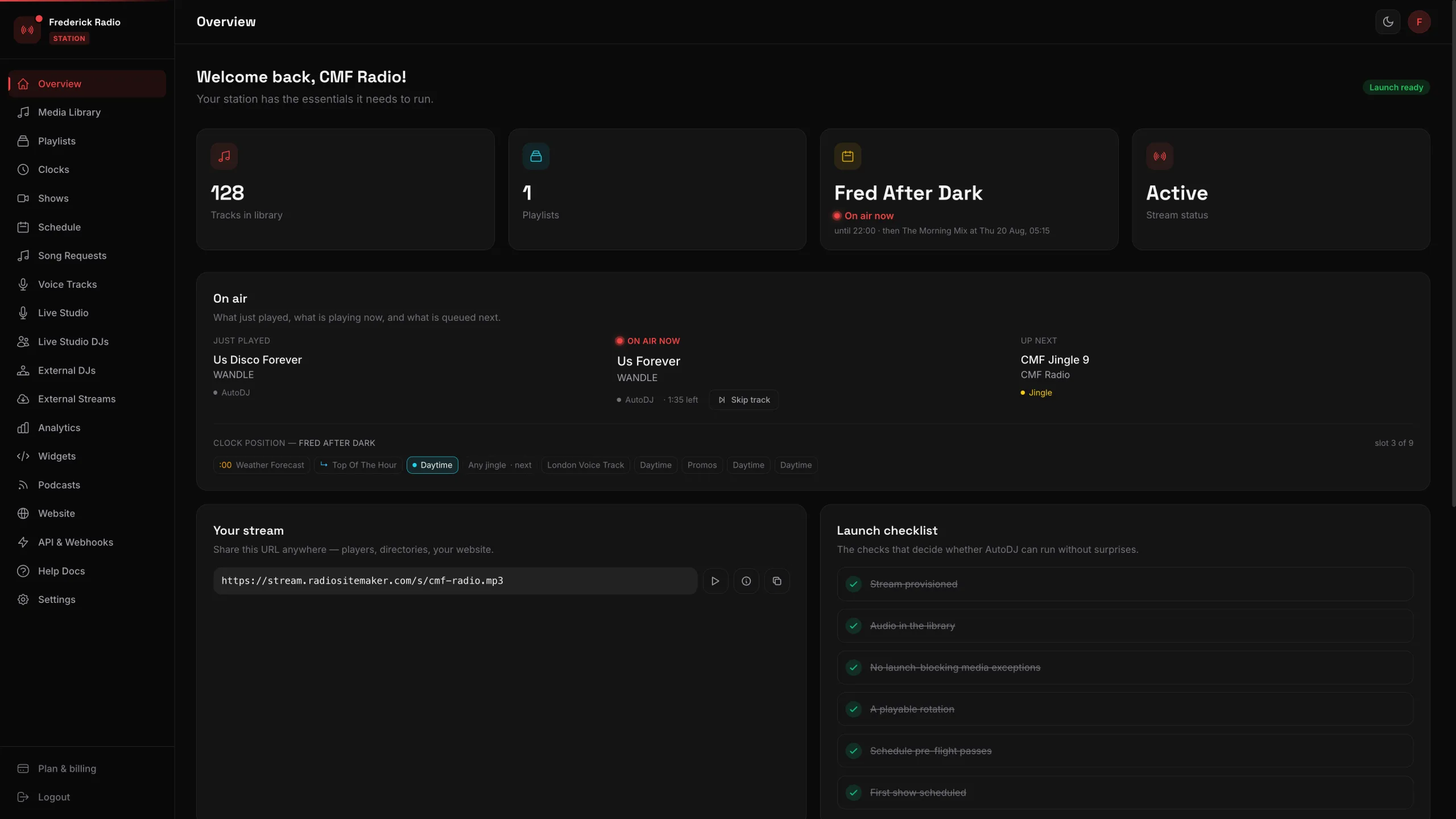 24 screens of a working station, walked through one click at a time