Broadcast basics
Playout software and
broadcast schedulers, explained
Three words get used as if they mean the same thing — playout, scheduling and automation. They do not, and knowing which one you are shopping for saves buying the wrong system.
What is playout software?
Playout software is the system that puts audio to air. It holds the running order, starts each item at the right moment, handles the transitions between them, and feeds the result to a transmitter or a stream. Playout refers specifically to the on-air stage — not to deciding what the running order contains.
Playout, scheduling, automation
| Layer | Answers | Output |
|---|---|---|
| Music scheduling | Which songs, in what order, with what separation between artists? | A music log |
| Broadcast scheduling | What airs in this hour — music, ads, news, jingles, shows? | A playout log |
| Playout | Execute that log on air, on time, without gaps. | Audio |
Large broadcasters buy these as separate systems and integrate them — a music scheduler like MusicMaster or Powergold feeding a broadcast scheduler feeding a playout engine. Smaller stations run one system that does all three, and that combined system is what the market calls radio automation software.
What a playout system has to get right
The requirements are unglamorous and they are all about time.
- Start on the second. News at the top of the hour means the top of the hour, not four seconds past. Back-timing — filling the gap so the next fixed item starts exactly on time — is the hard part.
- Never leave a gap. The transition between two items is where playout systems are judged. Silence between tracks is the most audible fault a station can have.
- Fail forward. A missing file, an empty playlist or a schedule hole must produce the next item, not silence. See dead air and failover.
- Give the log back. The as-run log is what royalty reporting and advertiser reconciliation are built from, so it has to record what actually aired, not what was planned.
See it for real
See the playout engine from the operator's seat.
Clockwheels, the on-air card, live takeover from a browser tab and the play log — the whole loop, on a station that is on air while you watch it.
- About 12 minutes
- No account, no credit card
- Real screens, not mockups
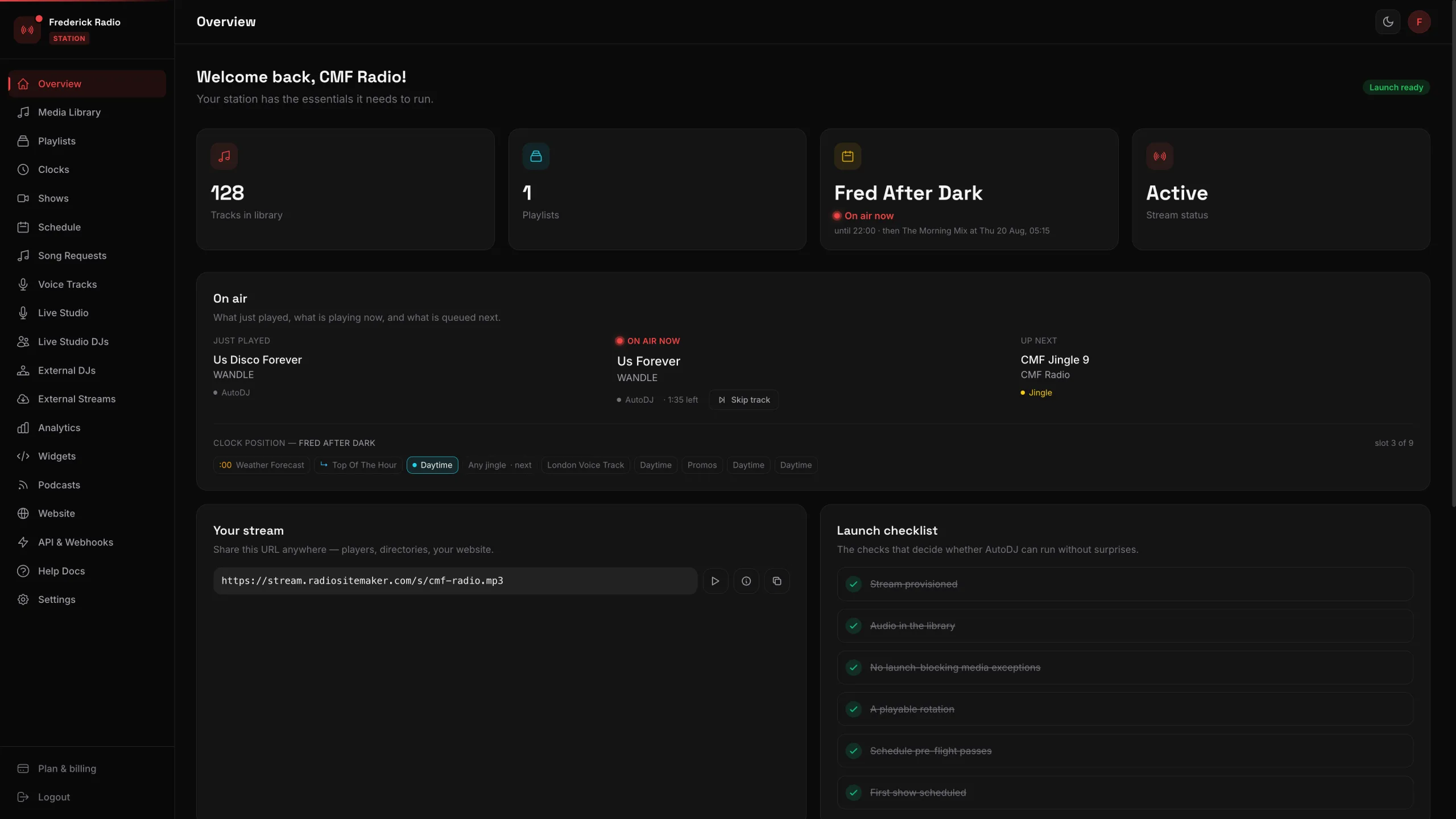 24 screens of a working station, walked through one click at a time
On-air PC, or not
Traditional playout runs on a dedicated on-air machine — often with a broadcast sound card, usually doing nothing else, and expected to stay powered permanently. That model is why studios have a machine nobody is allowed to touch.
Browser-based playout moves the engine onto the provider's servers. There is no on-air PC, so there is no machine to keep awake, patch or replace — and no single box whose failure takes the station off air. The trade is that you depend on the provider instead.
Playout without an on-air machine
RadioHost Studio runs the scheduling and the playout on our servers and gives you the log back — clockwheels, back-timing, live takeover and royalty-ready exports. $25 a month, or $199 a year, stream and listeners included.
No credit card required · Cancel anytime
Frequently asked questions
What is playout software?›
Playout software is the system that puts audio to air. It holds the running order, starts each item at the right moment, handles the transitions between them, and feeds the result to a transmitter or a stream. In broadcast usage playout refers specifically to the on-air stage, as distinct from scheduling, which decides what the running order contains.
What is the difference between playout software and a broadcast scheduler?›
A broadcast scheduler decides what should air and when, producing a log. Playout software executes that log on air. Large broadcasters buy them separately and integrate them; smaller stations usually run one system that does both, which is what most radio automation software is.
Is playout software the same as radio automation?›
Not quite. Playout is the on-air execution layer. Automation is playout plus the scheduling, rotation rules and unattended operation around it. Every automation system contains a playout engine, but a playout system on its own may expect a scheduler to feed it.
Does playout software need a dedicated machine?›
Traditional playout software runs on a dedicated on-air PC, usually with a broadcast sound card, and that machine is expected to do nothing else. Browser-based systems move the playout engine to the provider's servers, so no on-air machine is required at your end.
What is a playout log?›
A playout log is the ordered list of everything scheduled to air in a given period, with times, durations and item types. After transmission the same log becomes the as-run record, which is what royalty reporting and advertiser reconciliation are built from.